Steam is the official purchase route. A third-party Steam key needs a separate region and product check. This page helps you compare the purchase type and avoid a mismatched key; it is not a live cheapest-price tracker.
Purchase routes
On a small screen, swipe the table sideways to compare all columns.
| Route | What you are checking | Link |
|---|---|---|
| Steam | The official Wanderburg base-game listing and your store-region price. | Open Wanderburg on Steam |
| Eneba ROW | A marketplace Steam digital-key listing with region restrictions. | View ROW listing (affiliate) |
| Eneba GLOBAL | A marketplace listing whose GLOBAL label still requires checking restrictions. | View GLOBAL listing (affiliate) |
Affiliate disclosure: qualifying purchases through the Eneba links may earn this site a commission at no additional cost to you. Neither marketplace listing is presented as an official Randwerk store.
ROW or GLOBAL: what the labels cannot tell you
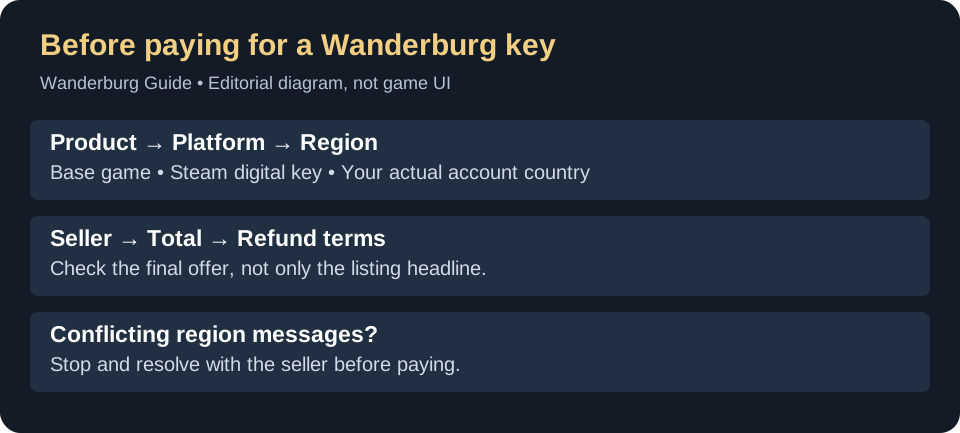
ROW and GLOBAL are listing labels, not a guarantee for every Steam account. Open the selected offer’s activation restrictions and look for your Steam account country before revealing or paying for a key. If the country is excluded, choose another eligible offer or the Steam store. If eligibility is unclear, ask the seller to confirm that exact offer in writing before buying; this page does not certify a country list.
- Confirm the product is the Wanderburg base game, not the soundtrack, Supporter Pack, an account or another product.
- Confirm Steam digital key as the delivery type.
- Read the activation restrictions for your account country; do not infer compatibility from ROW or GLOBAL alone.
- Compare the seller, final currency total and any fees with Steam’s own price.
- Read the seller’s refund and key-reveal conditions before completing payment.
Comparing the DLC with the game? See Supporter Pack contents and the base-game/bundle distinction.
Activating a Steam key
In the Steam desktop client, sign in to the intended account and use Games → Activate a Product on Steam. Follow the activation dialog and check the product identity. Do not share the key publicly. If you receive a region, duplicate-key or invalid-key error, use the seller’s support route rather than buying another key to test it.
See Steam’s product activation help for the current official instructions. No purchase or activation was performed for this guide.
Check the game before buying
Still deciding whether the game suits you? Read the Early Access buying assessment for active-combat, solo-play and patch trade-offs.
Review Windows requirements and Steam Deck caveats and the Early Access and retired-demo status. Once installed, use the first-run checklist.
Official references
The linked Steam store and activation help establish the official route. The two linked marketplace pages establish their listed product type, not a guaranteed current price, country eligibility or seller outcome. Listing checks: September 16, 2026. Region-check guidance updated September 17; no purchase or current country eligibility was tested.