
The Wanderburg Supporter Pack is optional cosmetic DLC. It requires the base game and gives no gameplay advantage. It includes the official soundtrack by Tumult Kollektiv and pirate-themed decorations: a tiny pirate-boat companion, steering wheel, skull figurehead and a cabin flying a pirate flag.
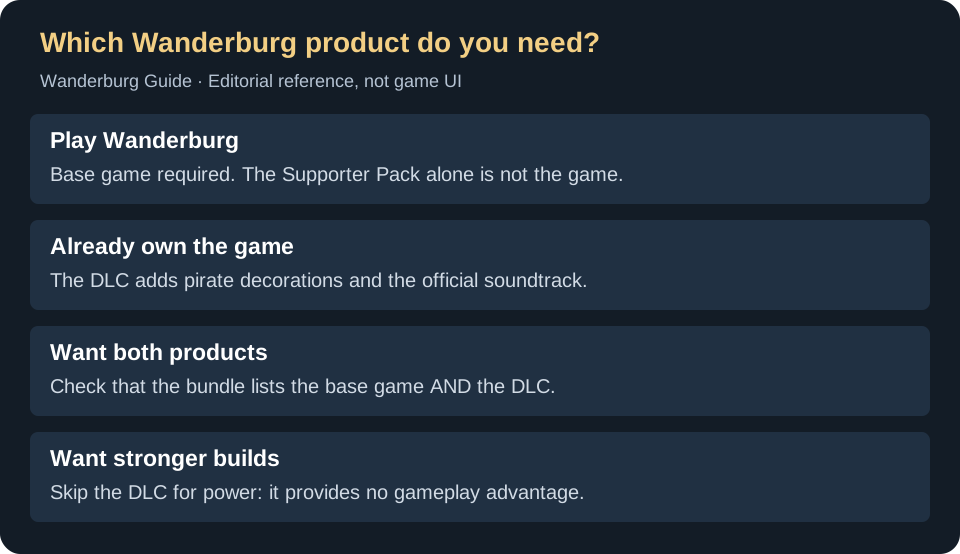
Base game, DLC or bundle?
On a small screen, swipe the table sideways to compare all columns.
| Your situation | What to check | Decision |
|---|---|---|
| You do not own Wanderburg and want to play | The cart must contain the base game, app 3624140. | Buy the game first; the lower-priced DLC listing cannot replace it. |
| You already own Wanderburg and want the extras | Look for Supporter Pack DLC, app 5026240. | Compare the DLC offer with any bundle shown to your signed-in account; do not assume the bundle total is the same for every owner. |
| You want the game and the extras together | Read the actual included-item list before checkout. | A bundle listing both products covers both needs. The similarly named DLC page only covers the add-on. |
| You want more damage, easier unlocks or a stronger Captain | The developer describes the pack as cosmetic-only. | Keep your money for another purpose; use the build guide to compare gameplay options. |
Is the soundtrack included?
Yes. The official DLC description includes the Wanderburg soundtrack. If music is your reason for buying, check the pack’s contents before adding another soundtrack product to your cart. The pirate companion listed here is a decoration; the pack is not a shortcut to combat equipment or unlock progress.
Do you need the Supporter Pack just to hear the music?
Check the announced Spotify route first if listening is your only goal. Randwerk’s October 15 soundtrack announcement says the soundtrack, including Sire Jonah’s remix, was scheduled for Spotify that midnight. The developer’s Spotify soundtrack link still opened as an upcoming-album page when checked October 27, so this guide does not claim playback or availability in your region was verified.
- Only want to listen: check the official Spotify link in your region before buying DLC for that purpose.
- Want pirate decorations and to support development: the Supporter Pack remains the optional cosmetic DLC described above, with the soundtrack included.
- Already own the pack but cannot find music files: report that separately from missing decorations. A streaming announcement does not identify the DLC’s local file path or equipping menu.
The official DLC description still lists the soundtrack and cosmetic items; neither the announcement nor a purchase establishes extra combat power. No streaming session or local soundtrack installation was tested here.
A quick checkout check
- Open the official Supporter Pack listing and confirm the product name.
- Check whether you own the required base game on the intended Steam account.
- For a bundle, inspect each included item. For DLC alone, make sure that is all you intend to buy.
- Use your store-region total and current offer conditions. This guide does not promise a fixed price or discount.
Need the game itself? Use our base-game buying and key checks. Check platform compatibility before purchasing either product.
After purchase: DLC not showing in-game
If you bought the Supporter Pack but the decorations don't appear in Wanderburg, follow these verification steps before contacting support:
- Verify DLC is enabled in Steam: Right-click Wanderburg in your Steam Library → Properties → DLC tab. Check that "Wanderburg - Supporter Pack" has a checkmark. If unchecked, enable it and restart the game.
- Restart the game completely: Exit Wanderburg fully (not just to the main menu), close Steam, then relaunch both. Some DLC activates only after a clean restart.
- Separate ownership from equipping: A checked DLC entry confirms that Steam enables the add-on, not where its decorations appear in the game. This guide has not verified the current decoration-menu path; include a screenshot of what you see when reporting missing items.
- Verify game files: Right-click Wanderburg → Properties → Installed Files → "Verify integrity of game files." This checks installed game files for missing or damaged content; it does not restore save progress or confirm that a decoration has been equipped.
If decorations still don't appear: Check the official Steam Community discussions for similar reports or developer responses. Report persistent DLC issues through Steam Support or the game's discussion page with your verification steps completed.
If only the soundtrack is missing, report that separately from the decorations and confirm which product you own. The exact soundtrack folder and playback route have not been verified here; do not assume a guessed folder or another purchase is required.
Official references
The base-game store page lists the Supporter Pack offer. Steam’s current DLC data was checked September 17, 2026 and identifies it as released on September 8, requiring Wanderburg. Older cached “coming soon” text does not describe that current offer. Contents above follow the official DLC description; no purchase, soundtrack-file location or in-game equip procedure was tested.