If Spiderburg is unlocked but asks for another Top Module, check your permanent module collection. A September 8 player discussion reports exactly this problem. Replies identify Fire Mage and Mortar as Top options; owning an archer Crew does not fill that equipment category.
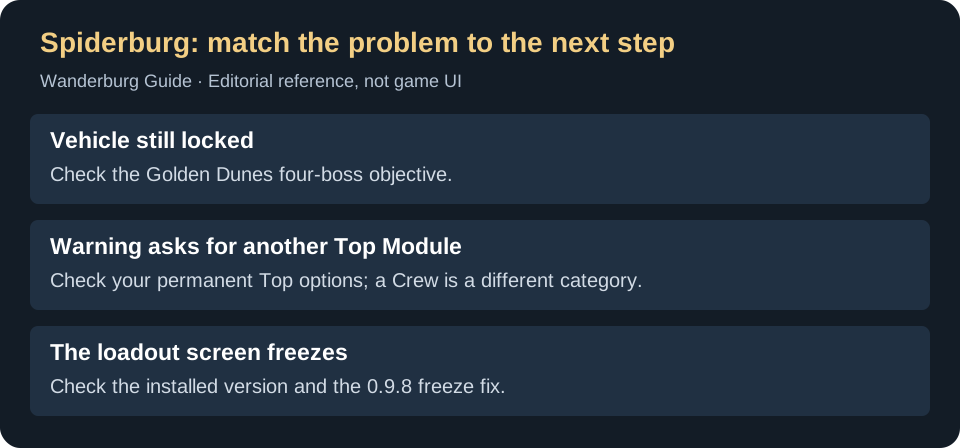
How do you unlock Spiderburg?
The PlayerTome vehicle entry lists the task as defeating all four bosses in Desert 1, Golden Dunes. Whisper of the House’s September 13 account describes the same objective. Check that named objective if the vehicle is still locked; a partially completed boss sequence is not the listed requirement.
Once the vehicle is present and the message names a missing Top Module, deal with that requirement first. Repeating the boss objective does not supply a module simply because it unlocked the chassis.
What belongs in the two Top positions?
Published player loadouts describe two Top positions, one Front and one Back, with no Side position. This agrees with the September Steam discussion about the second Top option and a separate player report using two top-mounted mages, Teleporter in front and Dash behind . Use your installed loadout screen to match those categories before making a purchase.
On a small screen, swipe the table sideways to compare all columns.
| What you own or see | What to check |
|---|---|
| Only one available Top Module | Find a second permanently available Top option. Fire Mage and Mortar are the examples named in the original help thread. |
| Archers or fire archers in the Crew category | Look in Modules instead. Crew ownership does not fill a Top Module position. |
| A plan centred on Side Ballista | Do not assume it transfers to Spiderburg. Its reported layout has no Side position. |
| Two compatible Top choices already available | Read the remaining warning or symptom before spending more Silver. A frozen screen is a different problem from a missing-item message. |
What if Spiderburg’s loadout screen freezes?
Official hotfix 0.9.8 added safeguards for the Spider player-vehicle loadout freeze. The developers specifically asked affected players to test it. Check the installed version before relying on an older report; the note does not guarantee that every later freeze has the same cause.
If the screen is responsive and gives a missing-module warning, follow the category check above. If it stops responding after selecting the vehicle, record the version, selected equipment and action that triggers it for a bug report. Buying a random Top Module is not a demonstrated fix for a frozen interface.
The game closes when you select Spiderburg
This is different from a responsive screen asking for another Top Module. In the September 27–October 6 vehicle-selection crash discussion , several players report crashes when selecting Spiderburg, including before unlocking it. One Radeon user reports the same failure with Vulkan. Those reports do not establish a common cause or a guaranteed graphics-mode fix.
- If the game remains open and shows a missing-Top warning, use the slot checks above.
- If selecting the vehicle closes the game, use the official graphics launch-choice comparison. Record each result rather than assuming Vulkan must fix an AMD system.
- If it still fails, report the installed version, GPU, chosen launch mode and whether the crash occurs on preview, selection or starting a run. Do not spend Silver on random equipment to repair a game exit.
Choosing a first Spiderburg setup
Keep the slot change in mind when comparing builds. The reported Spiderburg magic loadout gives one concrete arrangement; it is an example to compare against your unlocks, rather than a promise of the strongest build. For extra module choices during a run, see the reroll thresholds.
The linked player reports describe the unlock and slot checks. Official 0.9.8 documents historical freeze safeguards; the later selection-crash reports are a separate, unresolved symptom.